Loan Application Guide
This guide walks you through the step-by-step process of applying for a loan on the Caltos system. The application process is divided into 8 distinct steps, allowing your customers enter their contact details, verify their identity and income, accept their personalised loan terms, and submit their loan application.
Step 1: View Product Catalogue
Borrowers can browse the live product catalogue (via the URL shared with them) to compare loan options, check their eligibility, and select a product.
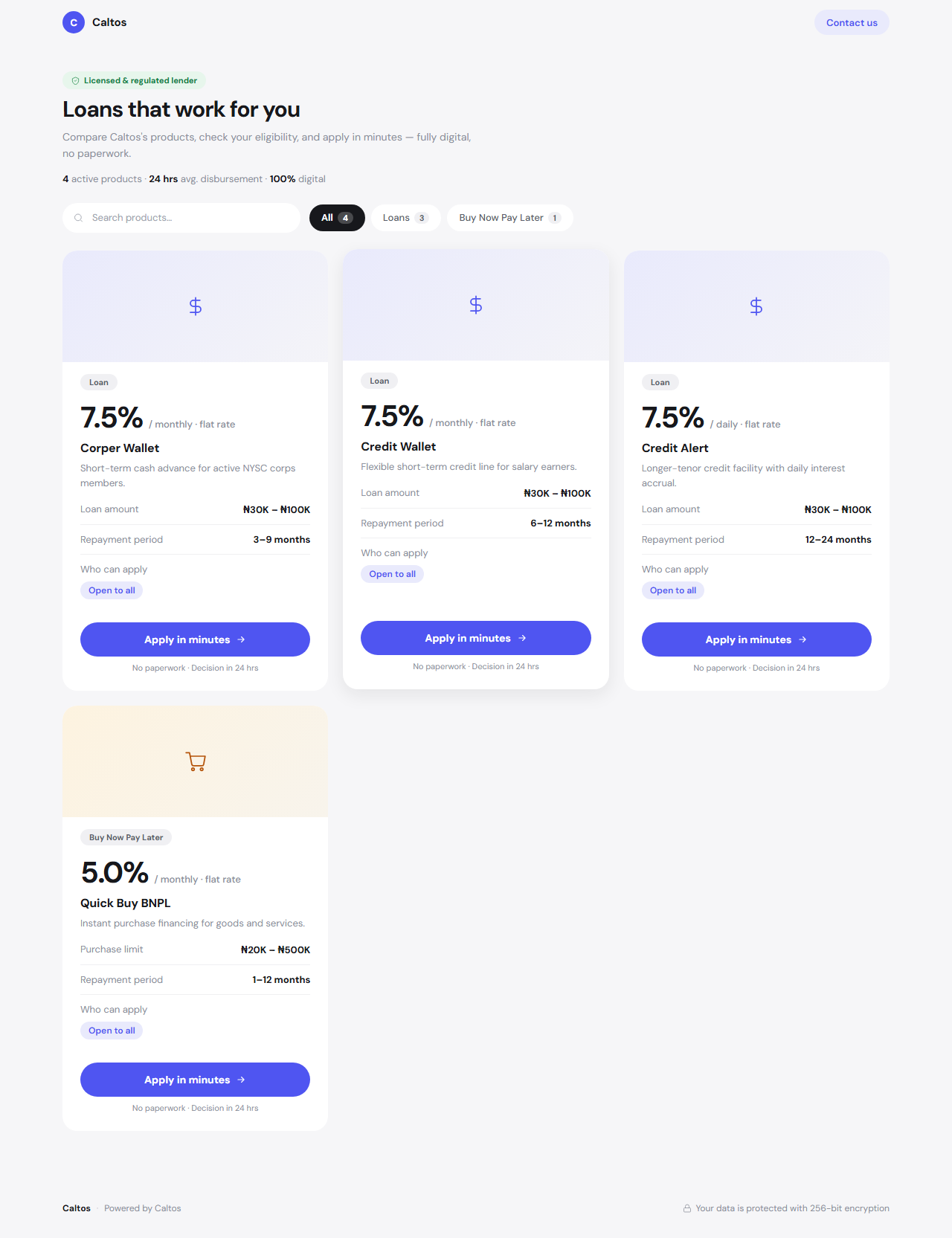
User Clicks "Apply in minutes" on a product card to launch the application.
Step 2: Loan Landing Page
When you select a product, you are taken to the product landing page highlighting the loan's key terms and target audience.
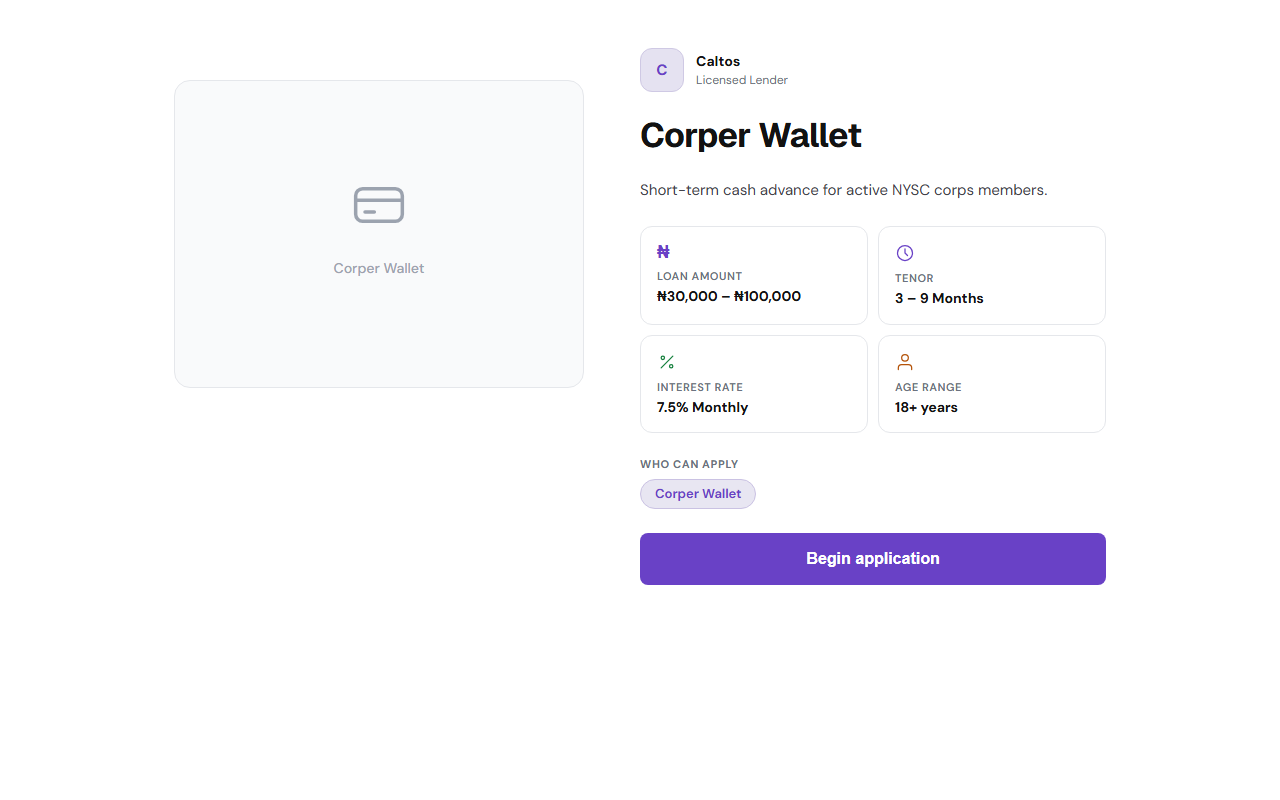
Click "Begin application" to start the application.
Step 3: Contact Details (Step 1 of 8)
In this step, enter your basic contact details and date of birth to check initial age eligibility and enable progress saving.
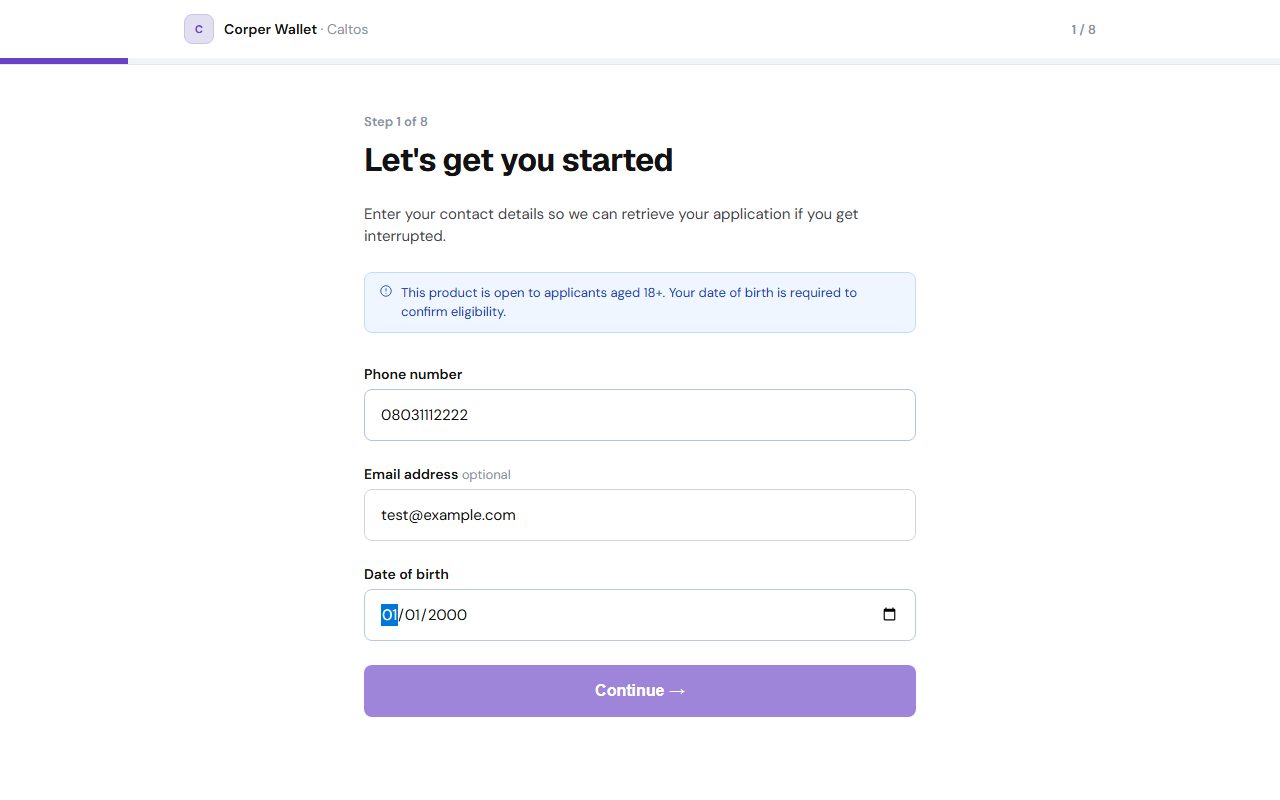
Available Fields:
-
Phone number: Enter a valid phone number (e.g.
080XXXXXXXX). -
Email address (optional): Enter a contact email.
-
Date of birth: Enter your birthdate (e.g. applicants must be 18+).
Click "Continue →" to proceed.
Step 4: Identity Verification (Step 2 of 8)
Verify your identity using your Bank Verification Number (BVN).
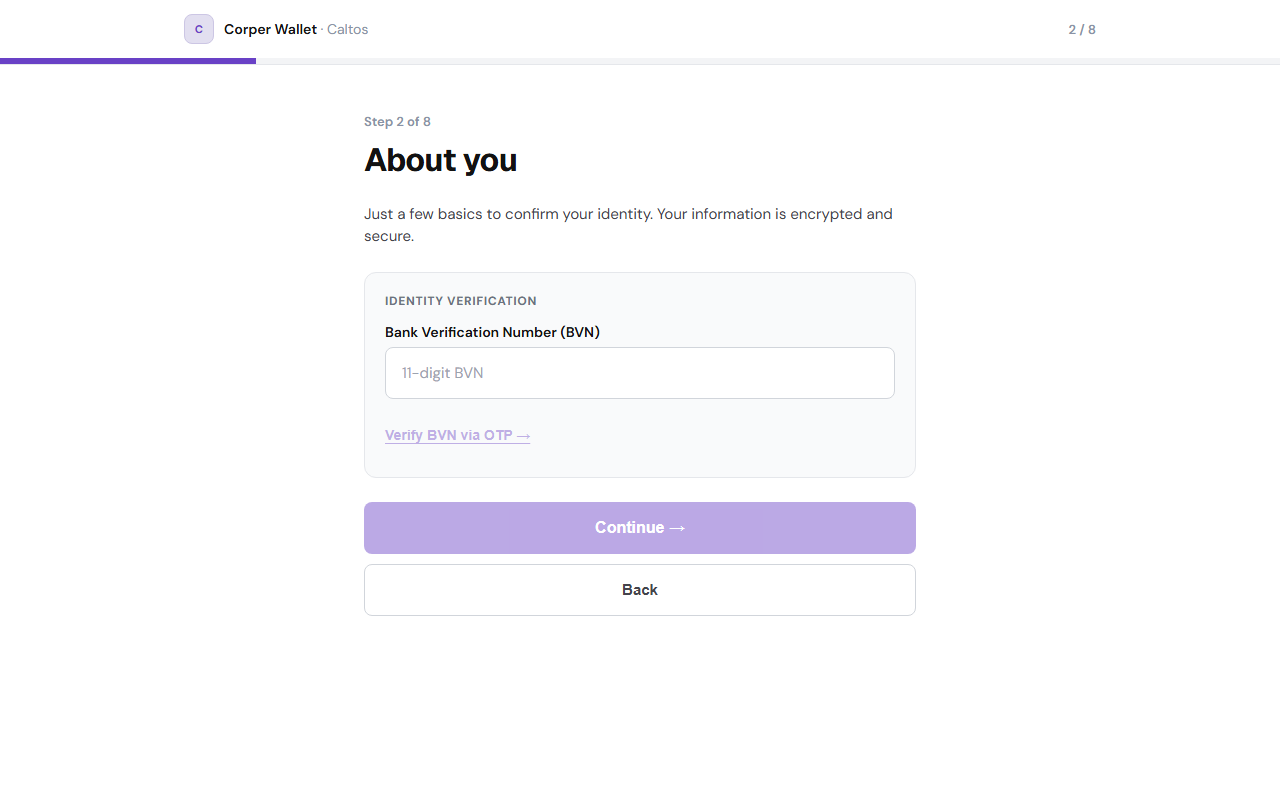
Available Fields:
-
Bank Verification Number (BVN): Enter your 11-digit BVN.
-
Verify BVN via OTP(Optional): Click this link to send a 6-digit OTP code to your BVN-registered phone.
-
OTP Input: Enter the 6-digit code and click "Verify code" to confirm your identity.
Click "Continue →" once verification succeeds.
Step 5: Income Verification (Step 3 of 8)
Select your preferred income verification channel and provide your financial details to evaluate your loan eligibility.
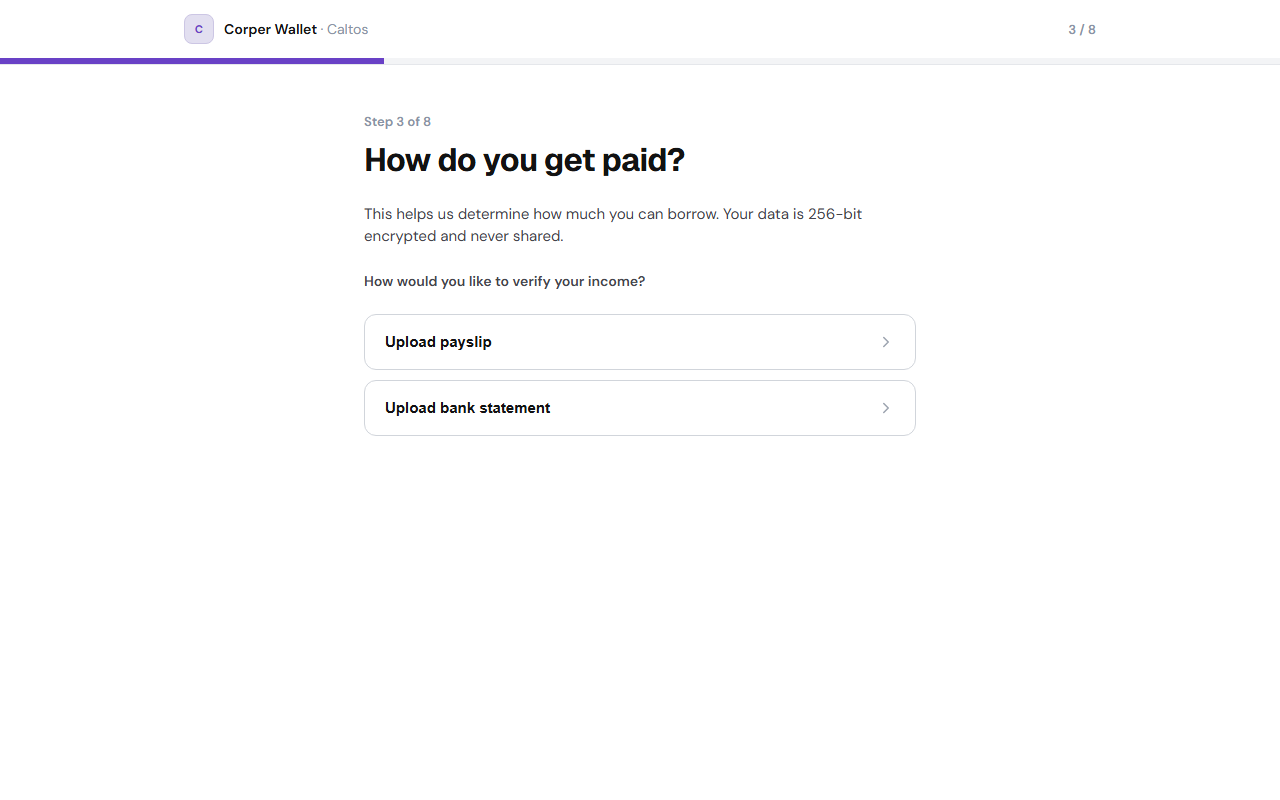
Available Fields:
-
Income Verification Method: Choose between "Upload payslip" or "Upload bank statement".
-
Upload file: Click to upload a 3-month bank statement PDF (under 5MB).
-
Net monthly salary (₦): Enter your net monthly salary value.
Click "Continue →" to check eligibility.
Step 6: Loan Offer Configuration
Caltos instantly evaluates your eligibility and presents an approved limit. You can adjust the loan amount and repayment period as required
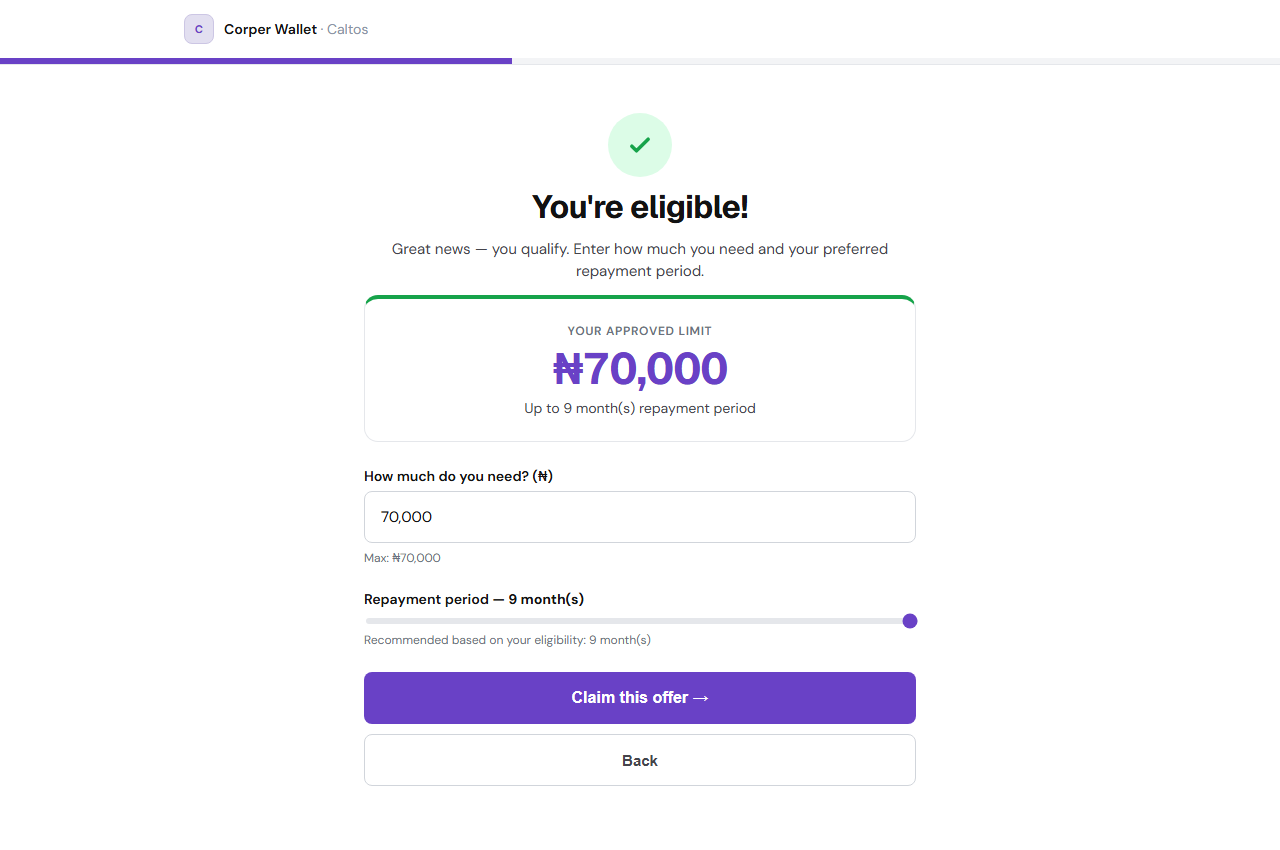
Available Fields:
-
How much do you need? (₦): Enter any amount up to your approved max limit.
-
Repayment period slider: Drag to adjust your repayment period (e.g. 3–9 months).
Click "Claim this offer →" to proceed.
Step 7: Accept Loan Offer (Step 4 of 8)
Review the formal loan offer letter outlining terms, interest rates, and processing fees.
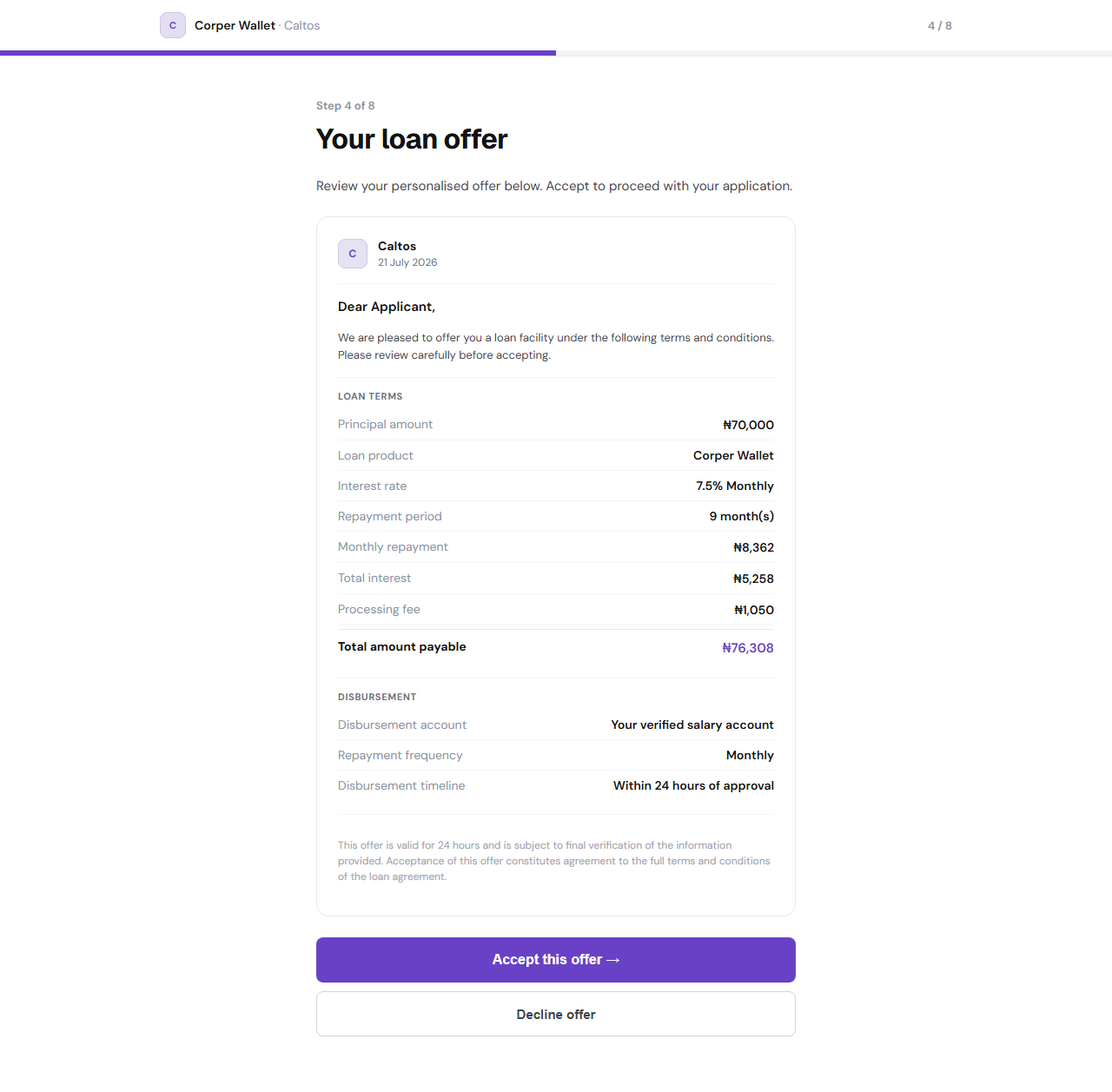
Loan Terms Displayed on the loan offer include:
-
Principal amount: e.g.,
₦70,000 -
Interest rate: e.g.,
7.5% Monthly -
Repayment period: e.g.,
9 month(s) -
Monthly repayment: e.g.,
₦8,362 -
Total interest: e.g.,
₦5,258 -
Processing fee: e.g.,
₦1,050 -
Total amount payable: e.g.,
₦76,308 -
Disbursement account: Verified salary account details.
-
Disbursement timeline: e.g.,
Within 24 hours of approval
Click "Accept this offer →" to proceed, or "Decline offer".
Step 8: Employment Details (Step 5 of 8)
Provide details about your current employment to complete your loan record.
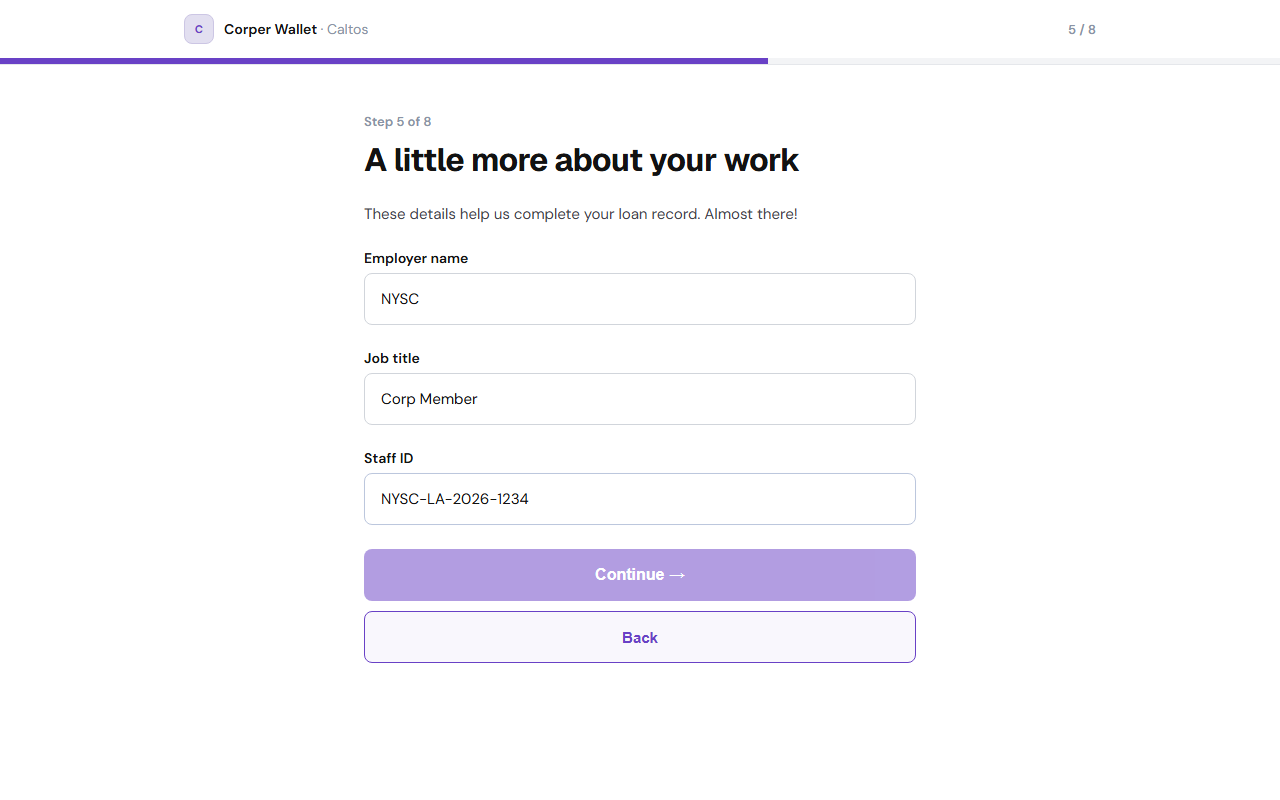
Available Fields:
-
Employer name: Enter your employer (e.g.
NYSC). -
Job title: Enter your position (e.g.
Corp Member). -
Staff ID: Enter your company/organization staff ID (e.g.
NYSC-LA-2026-1234).
Click "Continue →" to proceed.
Step 9: Supporting Documents (Step 6 of 8)
Upload supporting documents to verify your employment and identity.
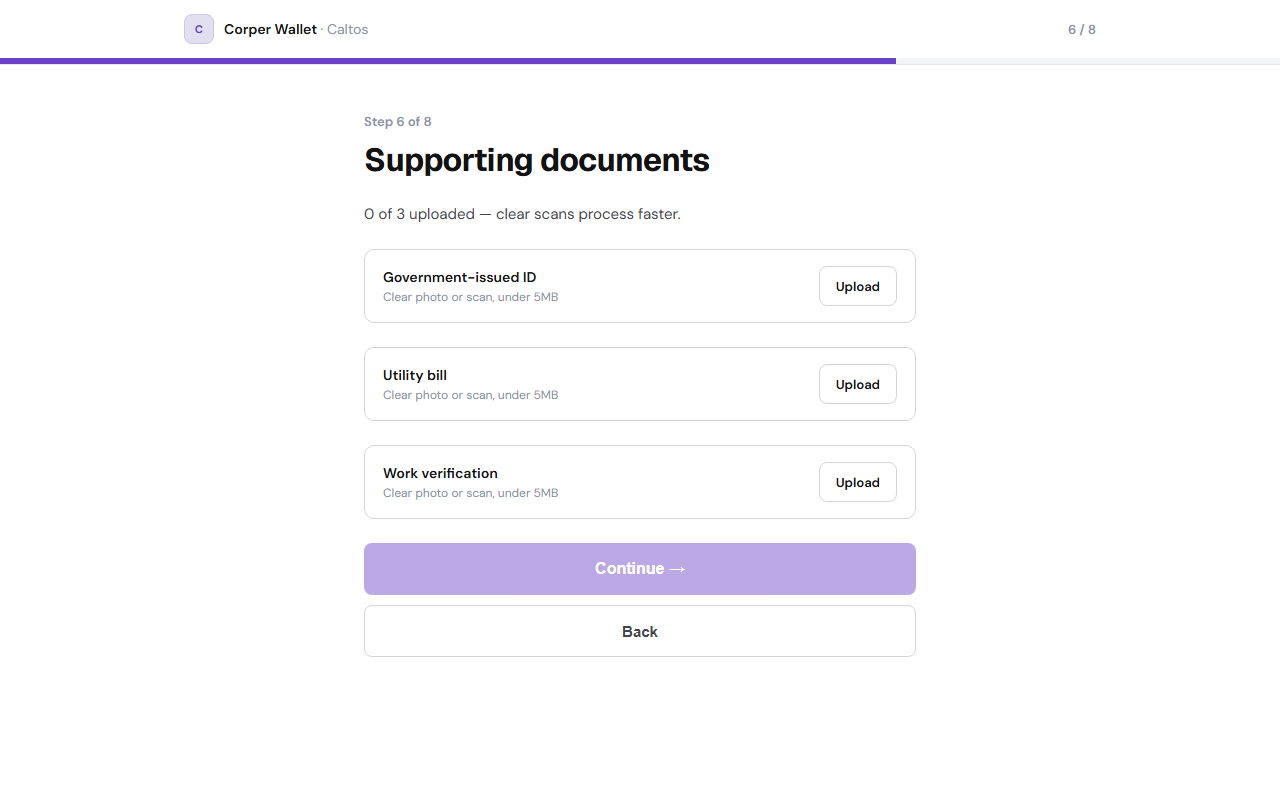
Available Fields:
-
Government-issued ID: Upload a clear photo or scan of your ID card.
-
Utility bill: Upload a clear photo or scan of a utility bill.
-
Work verification: Upload a work verification document.
Click "Continue →" once all 3 documents have been uploaded successfully.
Step 10: Repayment Setup (Step 7 of 8)
Set up automatic repayment debits directly from your salary account on the agreed dates.
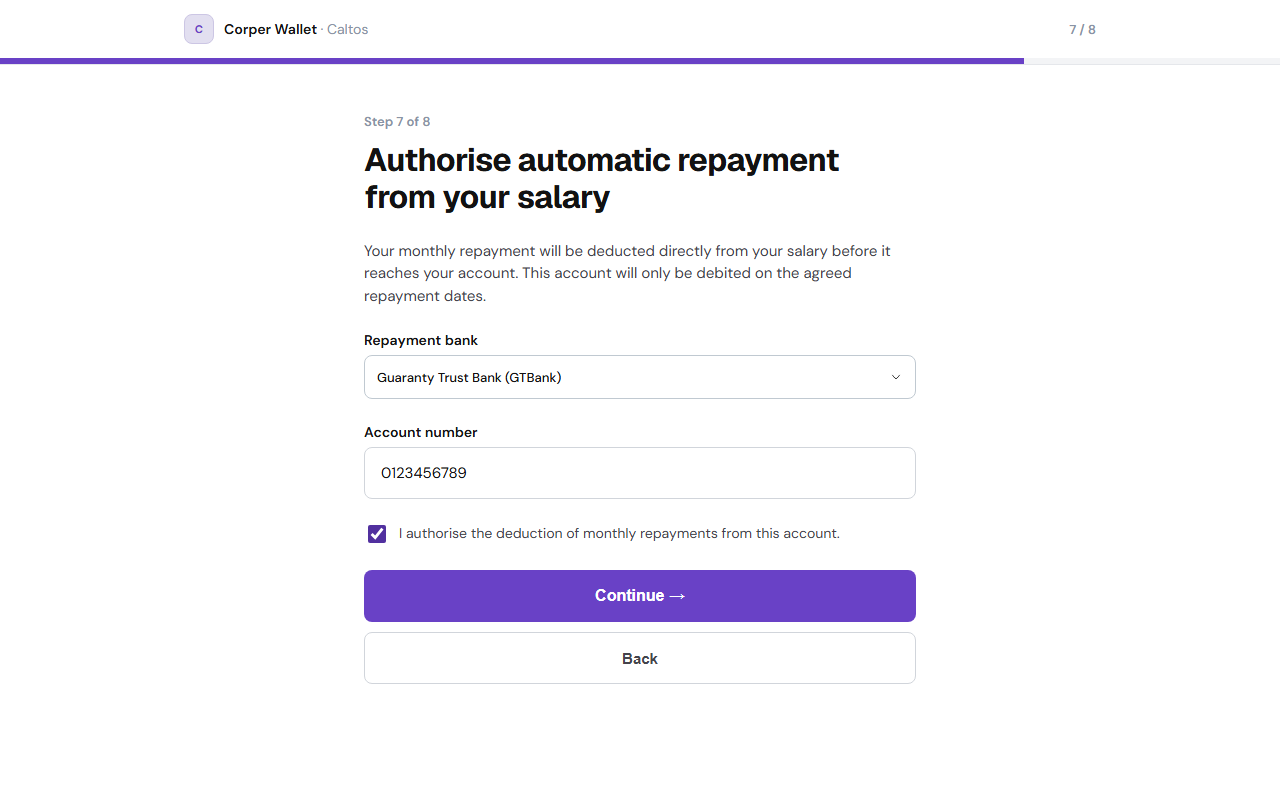
Available Fields:
-
Repayment bank: Click to search and select your bank from the list (e.g.
Guaranty Trust Bank (GTBank)). -
Account number: Enter your 10-digit account number.
-
Consent checkbox: Check to authorise the lender to deduct monthly repayments from this account.
Click "Continue →" to proceed.
Step 11: Final Review & Consent (Step 8 of 8)
Review the complete summary of your loan application details and give final consent.
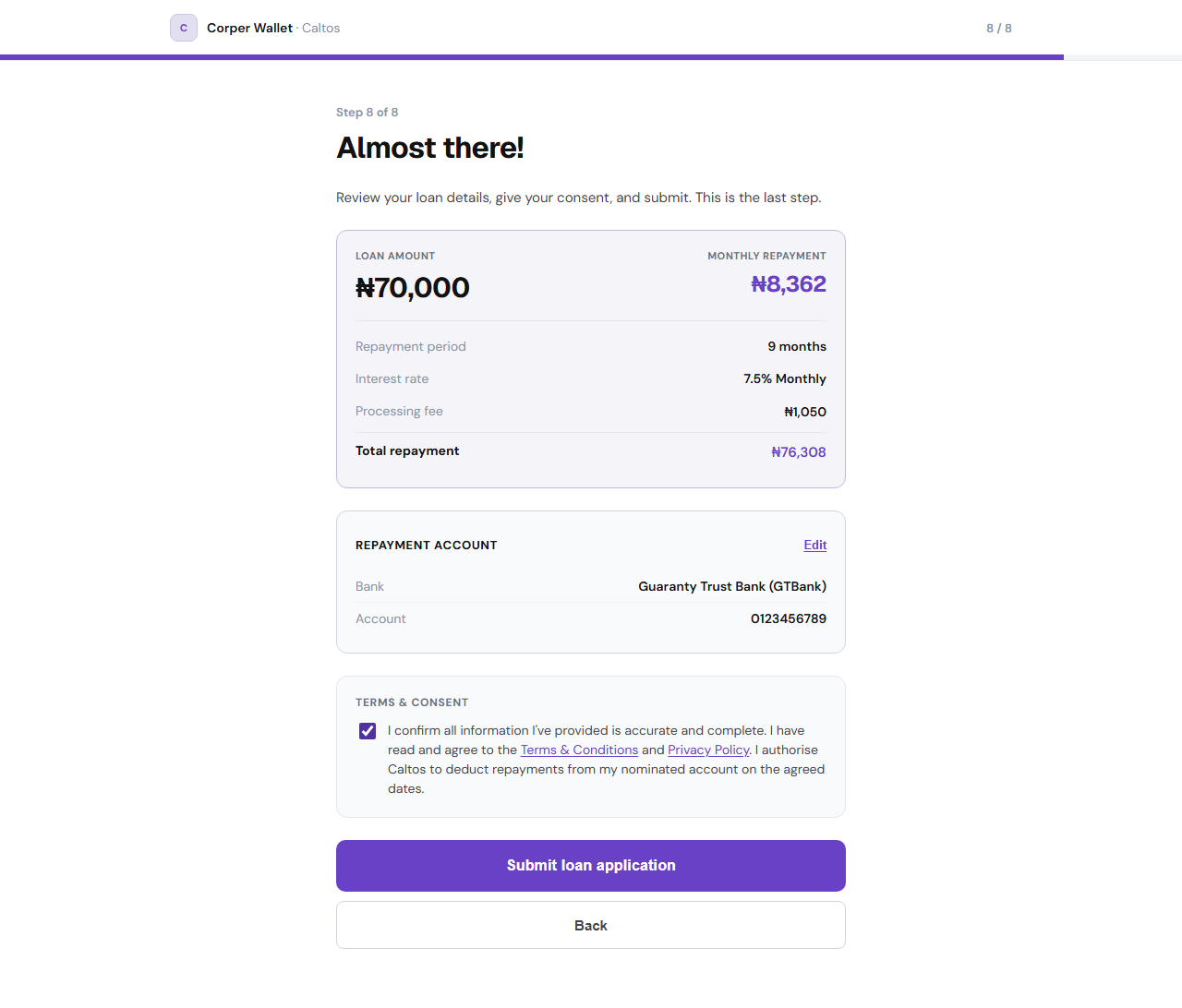
Available Fields:
-
Edit Repayment Details: Click "Edit" next to the Repayment Account section to modify your repayment bank and account details.
-
Consent checkbox: Confirm that all details are accurate, you agree to the Terms & Conditions and Privacy Policy, and authorise the lender to deduct repayments.
Click "Submit loan application" to complete your application.
Step 12: Success Confirmation
Once submitted, a confirmation page displays your application status, reference number, and disbursement details.
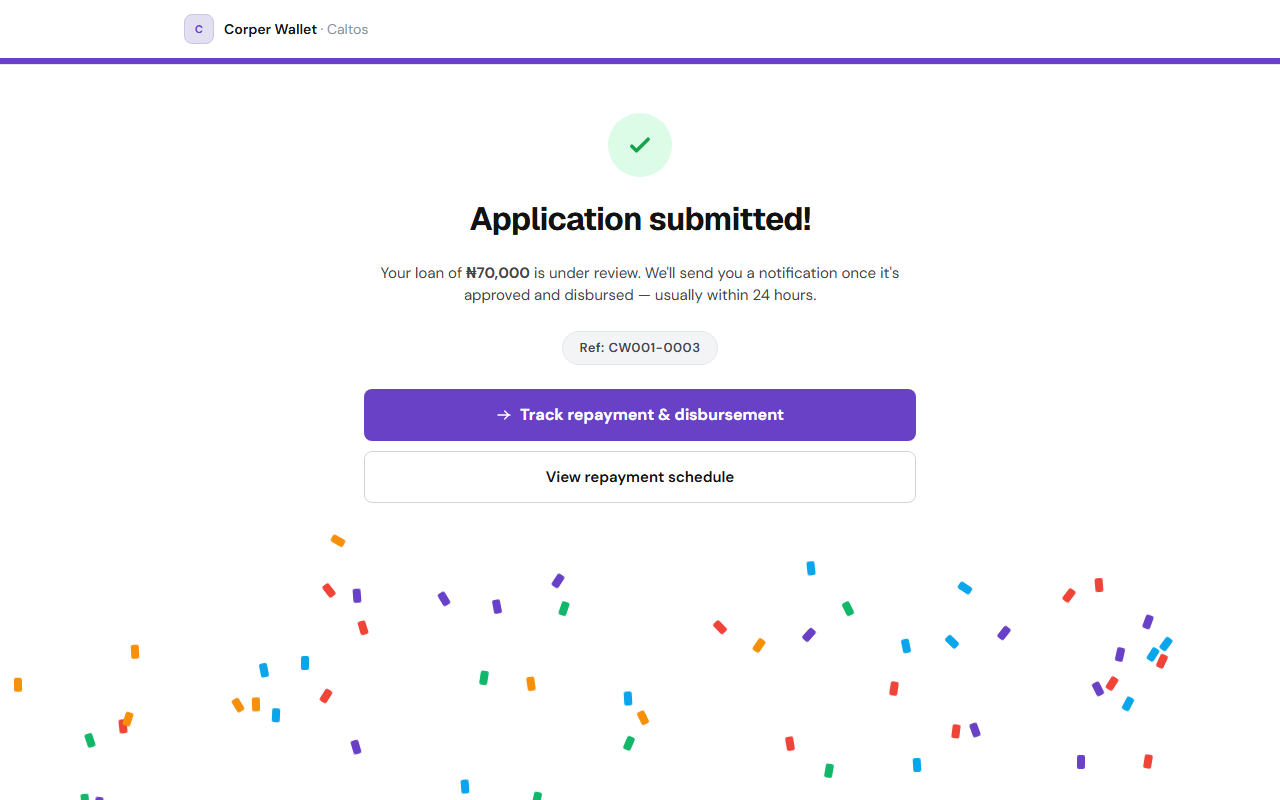
Buttons:
-
Track repayment & disbursement: Click to track status.
-
View repayment schedule: Click to view dates and amounts