The Edit Loan Amount feature allows authorised users to update the amount attached to an existing loan application. Use this option when the approved or requested loan amount needs to be corrected or adjusted.
Important: Before changing a loan amount, confirm that you have the required permission and that the correct loan application has been selected.
Step 1: Open the Loans Module
From the Caltos dashboard, locate Loans on the navigation menu and click it.
The Loans module provides access to loan applications and their current processing status.
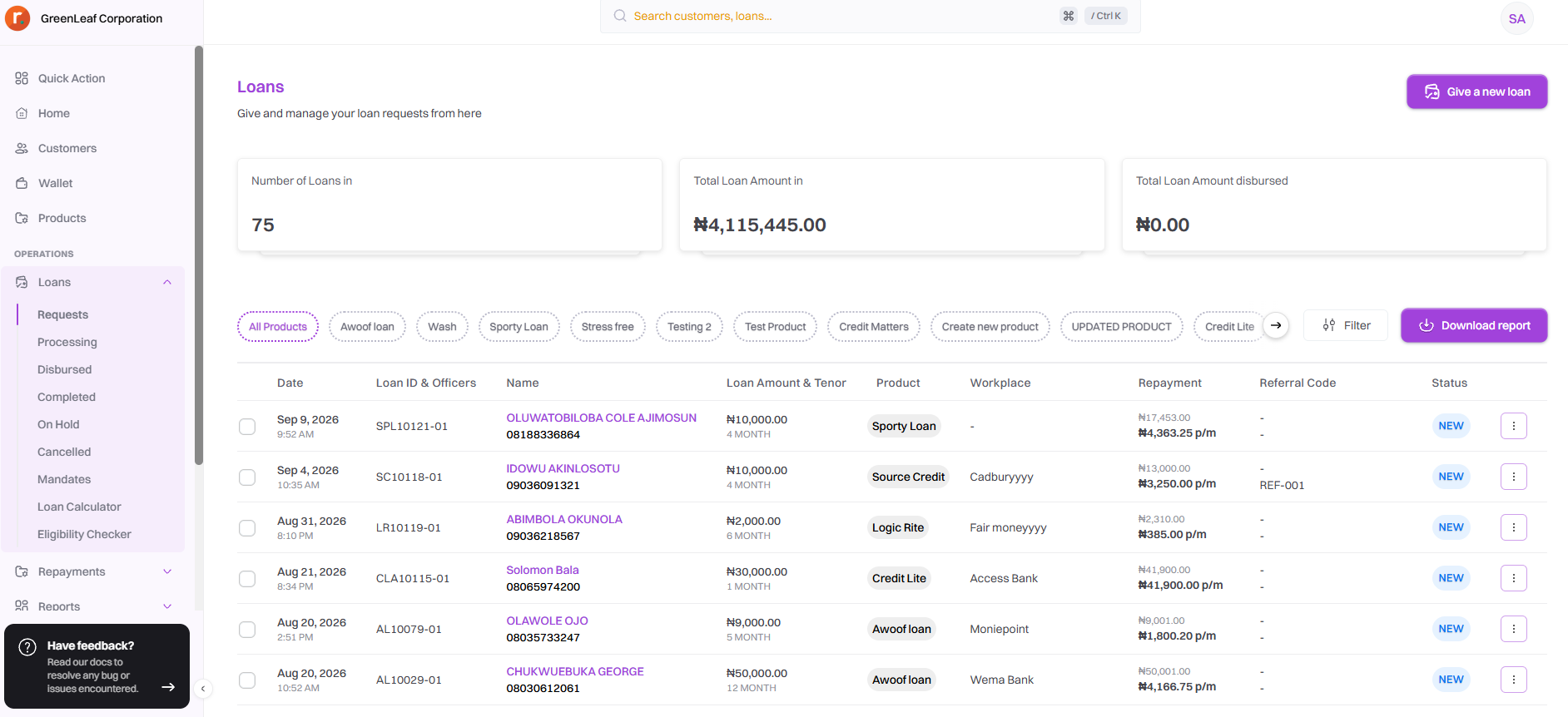
Step 2: Click on the Request module to display new loans application.

Step 3: Select a name to view one loan details.
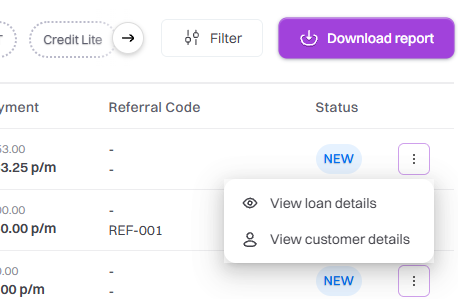
Step 4: Review the Current Loan Amount
On the Loan Details page, locate the Loan Application Details panel.
The panel displays important information about the selected loan, including:
Loan status
Loan Unique ID
Loan amount
Loan tenor
Interest rate
Total repayment
Monthly repayment
Product
Loan ID
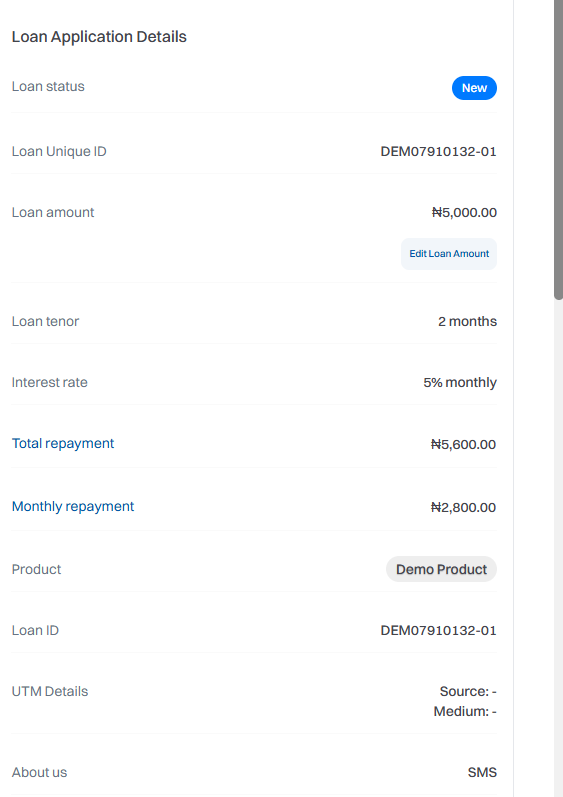
Step 5: Enter the New Loan Amount
Click “Edit Loan Amount” Under the displayed Loan amount, click Edit Loan Amount.
This option opens the loan amount editing interface, where you can enter the new amount for the loan amd new tenor.
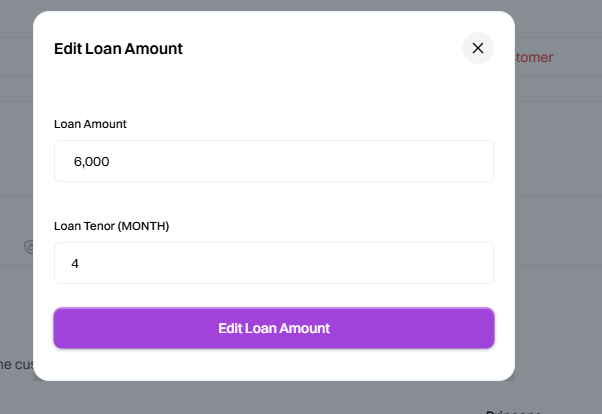
Step 7: Review the Updated Loan Amount
Review the amount you have entered carefully before saving the change. Pay particular attention to the figures entered, as changing the principal loan amount may affect other loan calculations such as interest, total repayment, and monthly repayment.
Step 8: Verify the Update
After saving, check the Loan Application Details panel again. Confirm that the Loan amount now reflects the new value. Where applicable, also verify that any dependent loan calculations have been updated correctly.